
Are you aware that all of these features are available in Model-Driven Apps as column controls? A few years ago, we had to create custom email validation, auto-number, and rich text editors in our projects, but now they are readily available with a simple configuration. Maybe it’s time for a cleanup? #powerplatformcommunity #modeldrivenapps
Power Apps Community Plan has been rebranded as the Power Apps Developer Plan
If you have not heard yet, you can actually have a free development environment to build and test with Power Apps, Power Automate, and Microsoft Dataverse.
In the Microsoft Learn article, it explains that this plan enables you to:
- Create apps and flows without writing code, with full-featured Power Apps and Power Automate development tools. Easily share and collaborate on these solutions with others.
- Connect to any data source by using 400+ out of the box connectors or by creating your own custom connectors.
- Use a fully managed, scalable data platform with Dataverse, including support for common business application actions. Use out-of-the-box common tables or build your own data schema.
- Export the solutions you create in your developer environment, and publish them on Microsoft AppSource so your customers can test-drive them.
For more information, please check out Microsoft Learn. Enjoy learning!
How To: Microsoft Dataverse Security
Hello everyone! I hope everyone is having a great first day of the year!
I am very excited to announce that I have finally created a Youtube channel called “Coffee & Technology”. Yes, because these are two of my favorite things. 😀
This channel is dedicated to Dynamics 365 and the Power Platform community. I created this channel to share with you how you can leverage out of the box features of Dynamics 365 and share with you some tips and tricks I learned in the past few years.
In the first episode, I will show you how Dataverse Security can adapt to many business scenarios.
I hope you find this helpful and if it did, please don’t forget to like this video, share and subscribe.
Cheers to new hope, new chance! May we have a wonderful 2022!
PS: If you have any business scenarios you need help on and would like me to do a video of, please feel free to reach out. 🙂
Improved Custom Recurring Tasks in Dataverse
Hi there! I have been receiving a few emails regarding my previous post about Custom Recurring Tasks. I read my post and realized that there are missing pieces in there. I probably left it like that to invite discussions and questions. Well, after more than a year, here we are and we got a few inquiries on the solution.
I tested the recurring feature of appointments and use that concept to re-create my Recurring Tasks solution.
I used the same UI section but I kind of optimized the Power Automate. Instead of 2 cloud flows, I kept it to one and use SWITCH to separate the daily vs weekly reoccurrence.
Here is how it looks now:

And to save you time, you can explore the solution by downloading it here. Have fun!
Rich Text Editor is live #2020wave2
Hey folks! How are you?
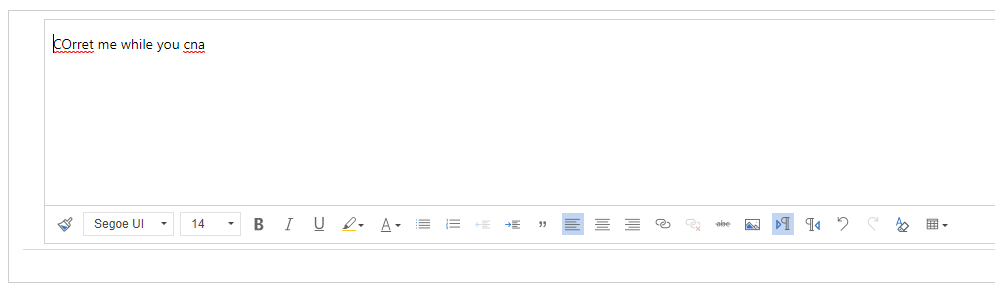
I just found out that the free 3rd party rich text editor that we have been using in Dynamics 365 for multiline of text removed its Spell Check feature but guess what???
Dynamics 365 has new Rich Text Editor PCF control and it looks awesome! Check it out!

Qualifying a Lead WITHOUT creating an Opportunity #dynamics365sales #quicktip
Yes, it’s possible and all you need to do is to set it up in the system settings.
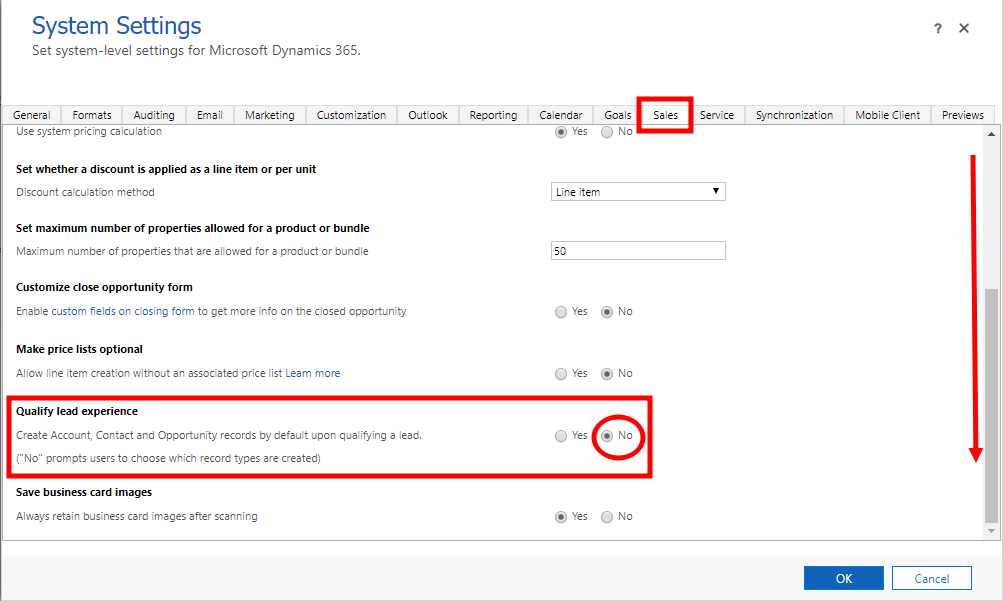
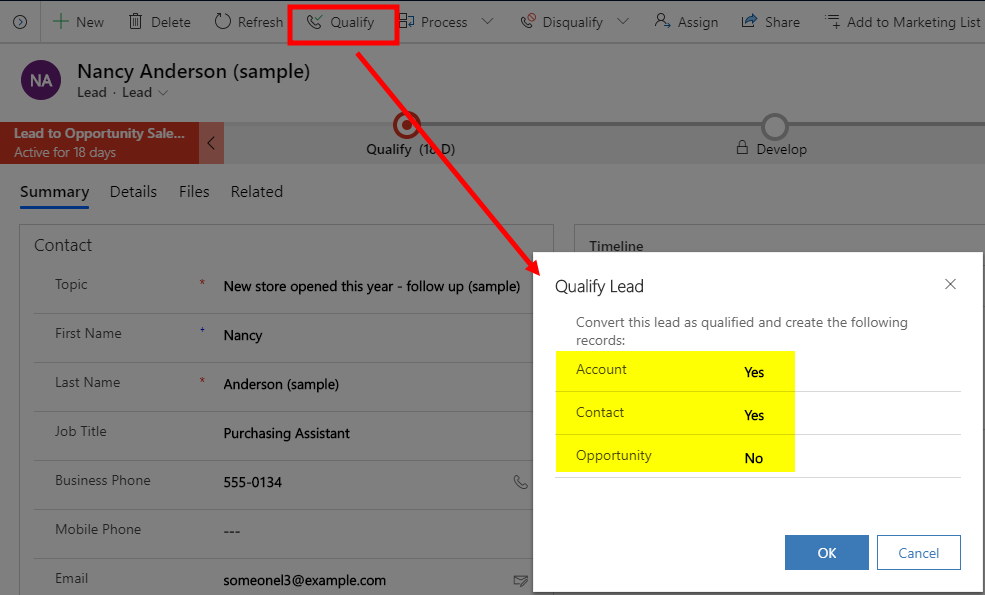
By doing this, you will be prompted if you want to create an opportunity when you qualify a Lead.
I hope this helps. Stay safe everyone.
Features of Queues (When to use and recommend Queues vs Activities?)

Activities is a list of all activity types such as Email, Phone Call, Task, Appointment, Fax, Letter, etc.
Queues is a place where you list both activities and cases in the same view.
Depending on business needs, you can recommend either one to manage all action items recorded in CRM. Some business users, they prefer looking into separate views, however, some businesses have multiple teams and it will be beneficial for them to use queues instead.
Here are the most important information you need to understand and know when considering Queues vs Activities.
QUEUES FEATURES
- It is required to setup a Team to use Queues. This way, you can easily manage the members’ action items and their security role.
- The activities and cases inside a queue is called a queue item.
- Users can pick a queue item as needed.
- Picking a queue item updates the Worked By field/column. This also updates the record’s owner field.
- Users can route a queue item to another Queue or User.
- Users cannot route a queue item to a user who is not a member of the Queue that owns the queue item.
- A queue item can be delegated to another user who is not member of team by assigning the specific activity or case (just like any other records in CRM).
- Releasing a picked queue item will automatically be routed back to the Queue even if you have assigned the activity or case to anotehr user. (Worked By will be empty / Owner == Team)
- When displaying an Activity Status in queue, it will be a separate column per activity type unless you add a custom script. This applies with other fields like Due Date, Priority and other important fields. Thus, heading to a separate view for Activities and Cases are helpful.

Activities will stay even if the business chose to use Queues. There are certain users that does not work on Cases which means, Activity Views are good enough for them to manage their action items.
I hope this is helpful. Cheers!
Work Efficiently with XrmToolbox
I personally love learning and has always been passionate on sharing my knowledge especially if it’s about improving productivity.
In the past years, I have the ultimate go-to tool when it comes to tasks that require repetitive configuration. This type of job can be “easy,” but it can be very frustrating and very time-consuming.
This is XrmToolbox. It’s a FREE tool that uses Common Data Service for Apps as its foundational data service built to make administration, customization, or configuration tasks more manageable and less time-consuming. There are more than 100 tools available in the Tool Library, and here are some of the tools you can find:
User Security Manager – Use this tool to manage multiple users with multiple Business Units and Teams.

User Settings Utility – This comes in handy when you get a requirement to set default pane, tab, dashboard, etc. to multiple users or roles.

Workflow Buddy – Working with a vast Dynamics 365 project with several workflows can be very challenging when it’s time to troubleshoot. Although the Dynamics 365 Advanced Find can help, this tool makes it much easier to find a specific workflow.

Option Set Editor – Edit all your Option Set in one window. This editor is a life server when dealing with several local option sets in your environment.

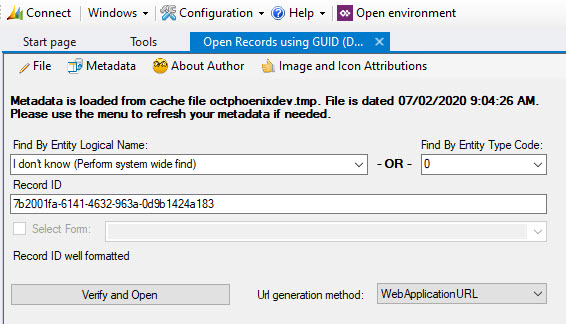
Open Records using GUID – When it’s time to troubleshoot and look for a certain GUID, instead of exporting records and finding it manually, this would be the best tool available.
As I have mentioned, there are more than 100 useful tools available in XrmToolBox. Few of the popular ones are Ribbon Workbench, FetchXML Builder, Entity Relation Diagram Creator, Solution Transfer Tool and a lot more. Whether you are administering Dynamics 365 or managing solutions, troubleshooting or customizing it, this tool is something you must pin in your taskbar.
I hope you find this helpful. Enjoy!
Recover recently deleted Dynamics 365 environment
Did you know that you can still recover deleted environment within 7 days of deletion by using Power Apps cdmlet Recover-AdminPowerAppEnvironment?
Tweet
Learn more about the Powershell cmdlets here. It is in preview mode but users with a valid Power Apps license can perform the operations in these cmdlets. Note that you can only perform these with the resources you have access to. More information here.
Note: Environments that can be restored are environments deleted by an administrator and not those deleted by the system due to license expiration and other scenarios.
Let me know how it goes on your end. Enjoy!
Leveraging the Power of Solution Checker from Power Apps
If you started your implementation with an older version of Dynamics CRM and had converted to the latest version or to using Unified Client Interface, and you want to ensure that your solutions are written based on best practices, Solution Checker will come in handy.
December 2018 when Microsoft started to feature it in public view. Based on the customers that used it, it helps them in resolving lots of issues and have seen 20% performance increases on their form loads.
How to get started? Go to the Power Apps portal and head on to Solutions. Select the solution you would like to check, and you will see the Solution Checker button.

For first time users, it will show you an option to install the solution. Installing it will direct you to the AppSource site. Click on Get it now, and it will redirect you to a page where you need to select the environment you would like to use it for. Click Agree and wait.

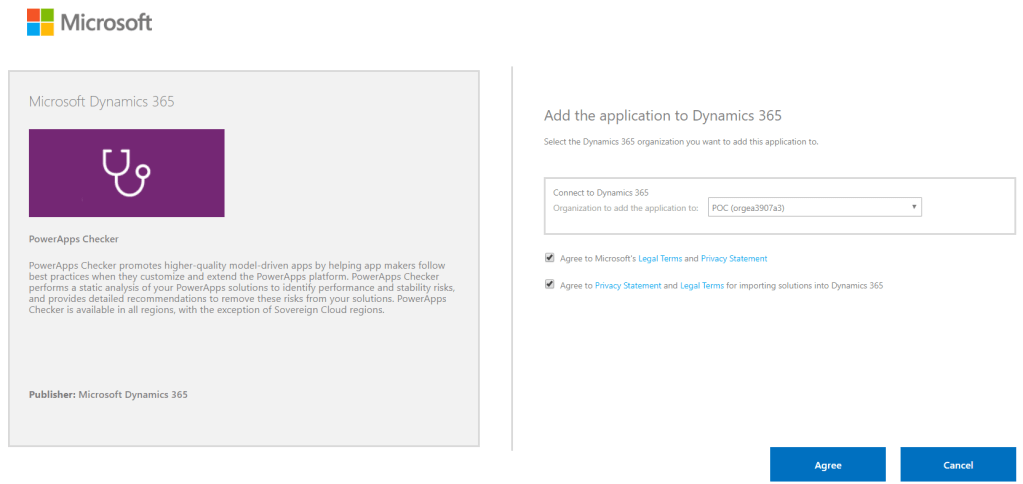
Before you are able to run it, make sure you have the proper Security Roles in your common data service environment. Two of the required permissions are Export Customizations and Solution Checker.

You know when it’s done when Power Apps sends you an email with the high level results.
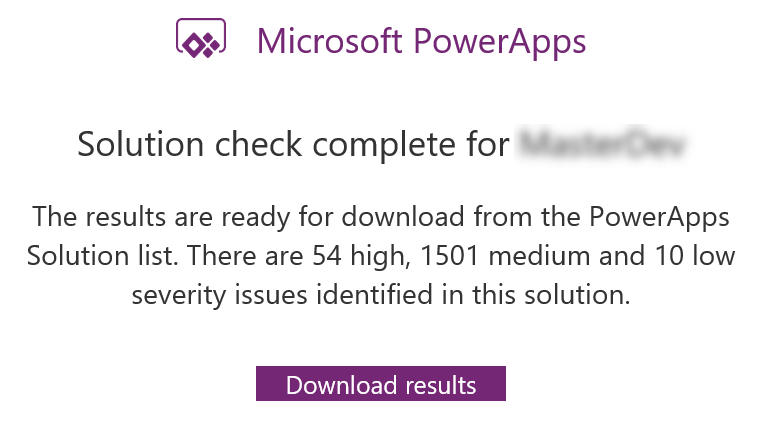
What I really like about Solution Checker is the flexibility to review the results. You can easily view the results in multiple ways: online (make.powerapps.com), during export or in your local drive. Reviewing results online will give you the ability to filter results in different helpful ways.

The cool thing about this checker is, it can detect missing functions that are set in your form properties’ onload, onsave and on change events. Example error: An event registration entry was detected on the form Contact for the entity Contact for the event onload where the function does not appear to exist in the referring web resource script, [name of the web resource file]. The function name defined is [name of function]. This will likely cause issues when trying to invoke the event.

I hope this helps you improve the quality of your solutions. Let me know in the comments below how this helps you or if you would like to share some tips for everyone to learn.
 Lyrio Cristall